
Agoge Request a pilot

The catalogue

35 tools, in the order a term runs

Everything is running today unless it says otherwise. Agoge Platform and Agoge CourseOps both run all of it.

  1. 01Content6
  2. 02Assignments7
  3. 03Running the class14
  4. Underneath8

01 · Content

Lectures, walkthroughs, decks and the course itself.
A narrated lecture slide produced by Lecture Studio.

Course content 6

Lecture material and walkthroughs, produced rather than recorded.

  • Tutorial engineNewest

    Turns a marked solution into a staged video that runs the work at every step. SQL and Excel Online today; Power BI and presentations next.

  • Lecture Studio

    Upload a slide deck and get a narrated video: a script is written, two voices read it with real pacing, and it is cut to a target length.

  • Presentation generator

    Topic to outline to a branded PowerPoint deck, with a fact-checking pass over the slides.

  • Image generation

    Illustrates slides automatically or builds a standalone image library. The provider is configurable, so the pipeline outlives any one model.

  • Course materials hub

    One course, term and section structure shared by every module, with a 30-day recycle bin.

  • Accessibility checker

    PowerPoint, PDF, Word and HTML scanned against WCAG 2.1 and Section 508, with a preview of each fix before it is applied.
02 · Assignments

Assignments, quizzes and exams, each with its rubric and key.

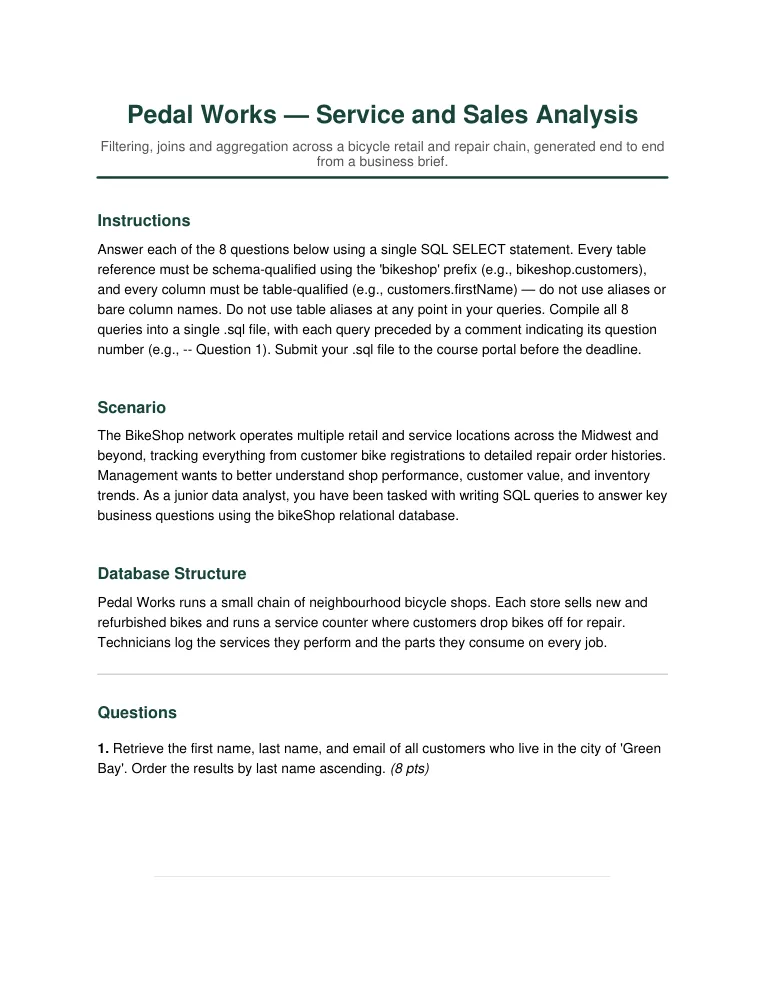
The first page of a generated SQL assignment.

Assignment generators 7

Six generators, each writing a rubric the matching grader can read, plus a check on how easily the result could be outsourced.

  • SQL assignments

    Known schemas (Sakila, Northwind, Chinook) or your own, difficulty control, and multiple versions of the same assignment.

  • Excel assignments

    Task list, starter workbook and solution workbook, including Python-in-Excel tasks that return a chart into the grid.

  • Tableau assignments

    Skill profiles from beginner to advanced across 29 skills, with dataset management and Socratic instructor guides.

  • Power BI assignments

    Four assignment types across 28 skills, reusing datasets so a cohort sees the same data in three tools.

  • Statistics assignments

    Datasets built to have known coefficients and p-values, which is what lets the grader mark method as well as answer.

  • Quiz and exam questions

    Multiple choice, true/false, matching, fill-in-the-blank and essay prompts, exported in Brightspace quiz import format.

  • Integrity analyzer

    Scores how easily an assignment could be completed by someone else, or by a chatbot, and hardens it on request.

03 · Running the class

Grading, feedback, teams, oral exams and the gradebook.

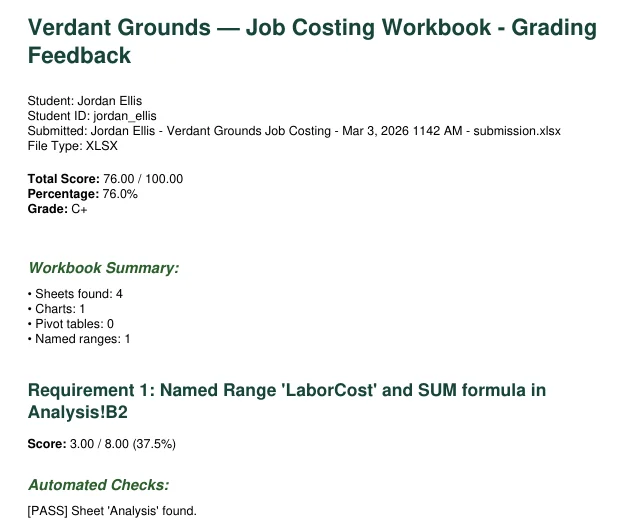
A generated grading report, 76 out of 100.

Graders 9

Nine of them. All accept a Brightspace submission ZIP and export a gradebook CSV.

  • SQL

    Rubric checks plus AI semantic analysis. Detects multiple valid forms of an answer, validates against the schema, and enforces a house style if the course has one.

  • Excel

    Formulas, named ranges, pivot tables, charts and formatting, with assertions that tell a calculated value from a typed-in one.

  • Essay

    Rubric-based assessment with configurable strictness and feedback per criterion rather than a single number.

  • Tableau

    TWB and TWBX files parsed for chart type, shelf fields, context filters, calculated fields and caption requirements.

  • Power BI

    Reads both the report layout and the data model, and validates DAX measures. Mac students have a documented way to submit.

  • Python

    Sandboxed test runs, structure analysis, a guard against blocked imports, and AI code review. Accepts .py files and notebooks.

  • R

    Tidyverse-aware, and grades without R installed on the server, so a missing runtime never stops a batch.

  • Statistics

    Numeric answers checked with tolerance, then method and interpretation scored separately. Works across R, Python, Excel and SPSS.

  • Access

    Table structure, queries, forms, reports and relationships, from ACCDB and MDB files.

In the classroom 5

The parts of running a class that are not marking.

  • AI oral exam

    The AI asks, listens and follows up, then returns a scored transcript against your rubric.

  • Peer evaluation

    Roster upload, teams, anonymous scoring, and reports that flag score spreads and disagreements worth a look.

  • Plagiarism detection

    Similarity across submissions within a cohort, reported alongside the grading run.

  • Virtual teaching assistantIn progress

    Answers from your course materials only, and notices when you update them. Students get in with an access code.

  • Query ForgeIn progress

    A student SQL sandbox with a tutor attached, so practice happens somewhere the course can see it.

Underneath

Accounts, models, security and export.

Platform 8

Multi-tenant from the first line, not retrofitted.

  • Organizations

    Isolation per department, with its own logo, colours, usage analytics and quotas.

  • Model per function

    Anthropic Claude, OpenAI, or Ollama running locally. An administrator chooses which model powers each function.

  • Keys three ways

    Provided by the organization, brought by the instructor, or billed through us. Service keys carry scopes and expiry.

  • REST API

    A documented API with interactive docs. Build your own front end, wire it into your LMS, or run it from CI.

  • Sign-inPartial

    Password, Microsoft Entra ID and Google today. SAML and generic OIDC have a configuration screen; the sign-in flow behind it is still landing.

  • Delegation and audit

    Consent-based delegation to teaching assistants with scoped permissions, and a per-user record of actions.

  • Analytics and search

    Grading trends, score distributions and storage use, plus search across every kind of content.

  • Export everything

    One ZIP of all your content. Nothing here is held hostage.

Want to see any of this against your own course material?

Request a pilot